VIAtrans Paratransit
VIAtrans is a shared-ride, curb-to-curb paratransit service option that creates independence and access for customers who cannot utilize regular bus service because of a disability.
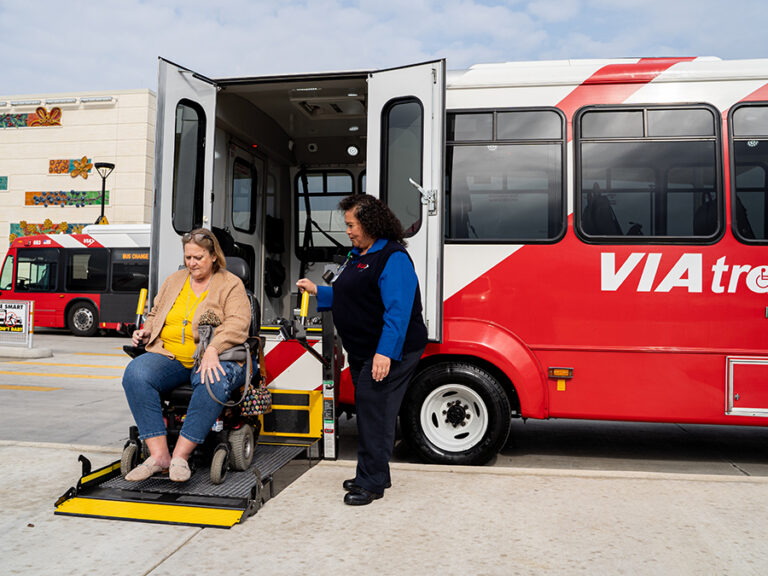
VIAtrans trips are available for any purpose and can be scheduled at least one day in advance, using VIA’s online or call-in scheduling system. VIAtrans uses vans that operate in the same areas and times as VIA bus service. Van operators help passengers on and off vehicles but do not provide medical assistance or emergency service.
Individuals must apply to determine eligibility for VIAtrans. Eligibility is based on an individual’s functional ability to use regular city bus service, in keeping with ADA (Americans with Disabilities Act) criteria. Applicants may be asked to participate in a physical functional assessment performed by a skilled and trained professional therapist.
Important Notice
Any customers having account access issues using the new booking site or mobile app can make or manage reservations with a live agent by calling 210-362-5050.
Current Riders
Call (210) 362-5050
For Reservations
- Make a reservation
- Change or cancel a reservation
- Confirm that a ride was booked
- Where’s My Ride?
- Activate a Will Call
Call (210) 362-2020
For Customer Information
- Create or access an account
- Reset a password or report a missing reset email
- Resolve verification-code or two-factor authentication issues
- Merge an existing VIA Link and VIAtrans account
- Correct an account name or email address
- Get help using the VIAtrans app or web portal
About VIAtrans Paratransit
Click a link below to scroll to information about How to Apply, Pay your Fare, How to Ride and more!
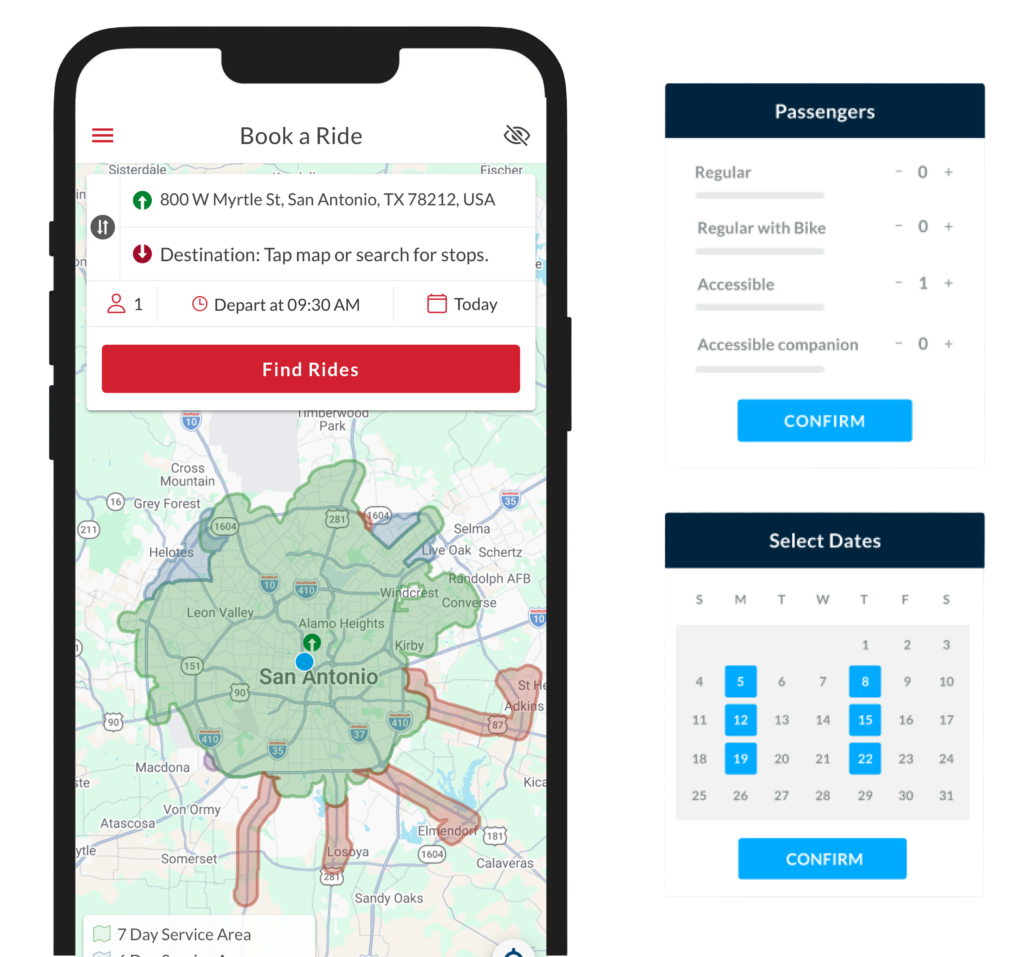
The new VIAtrans mobile app is here!
Booking your VIAtrans trip has never been easier with live tracking, multi-trip booking and text and in-app notifications. Download today!


How to Ride VIAtrans
To use VIAtrans, once approved, take a moment to watch one of these three important videos (available in English, Spanish and American Sign Language) on the right before taking your first trip. After that download our customer guide below for more useful information.
How to Book a Trip
HOURS OF TRANSPORTATION
4 a.m. to 12 a.m.
RESERVATIONS
1 Day in Advance: 8 a.m. to 4:45 p.m., 7 days a week
2-4 Days in Advance: 8 a.m. to 8 p.m., Mon.-Thur.
-
1Access or create your accountOnce approved for VIAtrans, a customer can set up an account for online or in-app booking. Call (210) 362-2020 for new online login instructions if you haven’t set up an account yet. For the account, use the VIAtrans patron’s name and ID number. Use an email and phone number that will be available to confirm the account.
-
2Download the app, book online, or call to reserveDownload VIAtrans from the Apple App Store or Google Play, or select Book Online to use the web portal.
Customers may also continue to make reservations by calling (210) 362-5050.
-
3Enter the trip informationEnter the pickup location, destination, date, requested time, number of passengers and mobility needs. Reservations may be made one to four days before the trip.
-
4Select an available tripReview the available options and select the trip that works best. The vehicle may arrive at any time during the pickup window shown for the reservation.
-
5Confirm the reservationDo not leave the page until “Journey booked!” appears. Confirm that the trip also appears under My Journeys > Upcoming and review the date, locations, pickup window, passenger information and payment method.
Accommodations
To promote access for customers who are disabled, VIA will consider exceptions to existing rules and procedures on an as-needed basis. Please contact us in advance, by e-mail or phone at (210) 362-5050, if you believe you require a disability-related accommodation in order to use VIA buses or VIAtrans vans. A complaint process is available if an accommodation request is declined.
Will Call
Will-Call Service allows customers flexibility when scheduling in not requiring an exact time for a return trip from a medical appointment or jury duty. Customers who are ready for a trip simply call VIAtrans reservations at (210) 362-5050. Will Call pickups can also be activated through the VIAtrans booking app and website.
How to Apply for VIAtrans
An application must be completed and approved by VIA before VIAtrans service is provided. Applicants will be notified of their application status by mail within 21 days.
Questions about application status can be directed to VIA Accessible Services Department at 210-362-2140 on weekdays between 8:00 a.m. and 4:00 p.m.
3 Easy Steps to Apply
-
1Download the applicationComplete pages 1-4 of the application as completely and accurately as possible.
A friend or family member may assist. -
2Have a medical professional reviewA medical professional who is familiar with the applicant’s condition must complete pages 5-7. Applicants may not change or add to the information in this section.
-
3Send the applicationMail the completed application to VIA at the address on the form for processing. Applications can also be turned in at any transit center.
Eligibility Requirements
Individuals may apply to determine eligibility for VIAtrans. Eligibility is based on an individual’s functional ability to use regular city bus service, in keeping with ADA (Americans with Disabilities Act) criteria. As part of the VIAtrans eligibility determination process, applicants may be asked to participate in a physical functional assessment performed by a skilled and trained professional therapist.
- Persons who qualify are substantially limited in the performance of at least one major life activity.
- Eligibility is not based on age, income, residency or whether an applicant can drive.
- In addition, limitations must be such that prevent independent use of VIA bus service for some or all trips.
- Applicants must be at least six (6) years old.
How to Pay for VIAtrans
The VIAtrans one-way fare is $2.00 for adults and $.90 for children 5-12 years old. Refer to the VIAtrans Customer Guide (or the customer service guide in Spanish) for information about fares for Personal Care Attendants and Companions. VIAtrans customers can pay fares using their goCard+, VIA goMobile app, cash, or with a VIAtrans ticket. The goMobile app is available free for Android and Apple iOS smartphones.
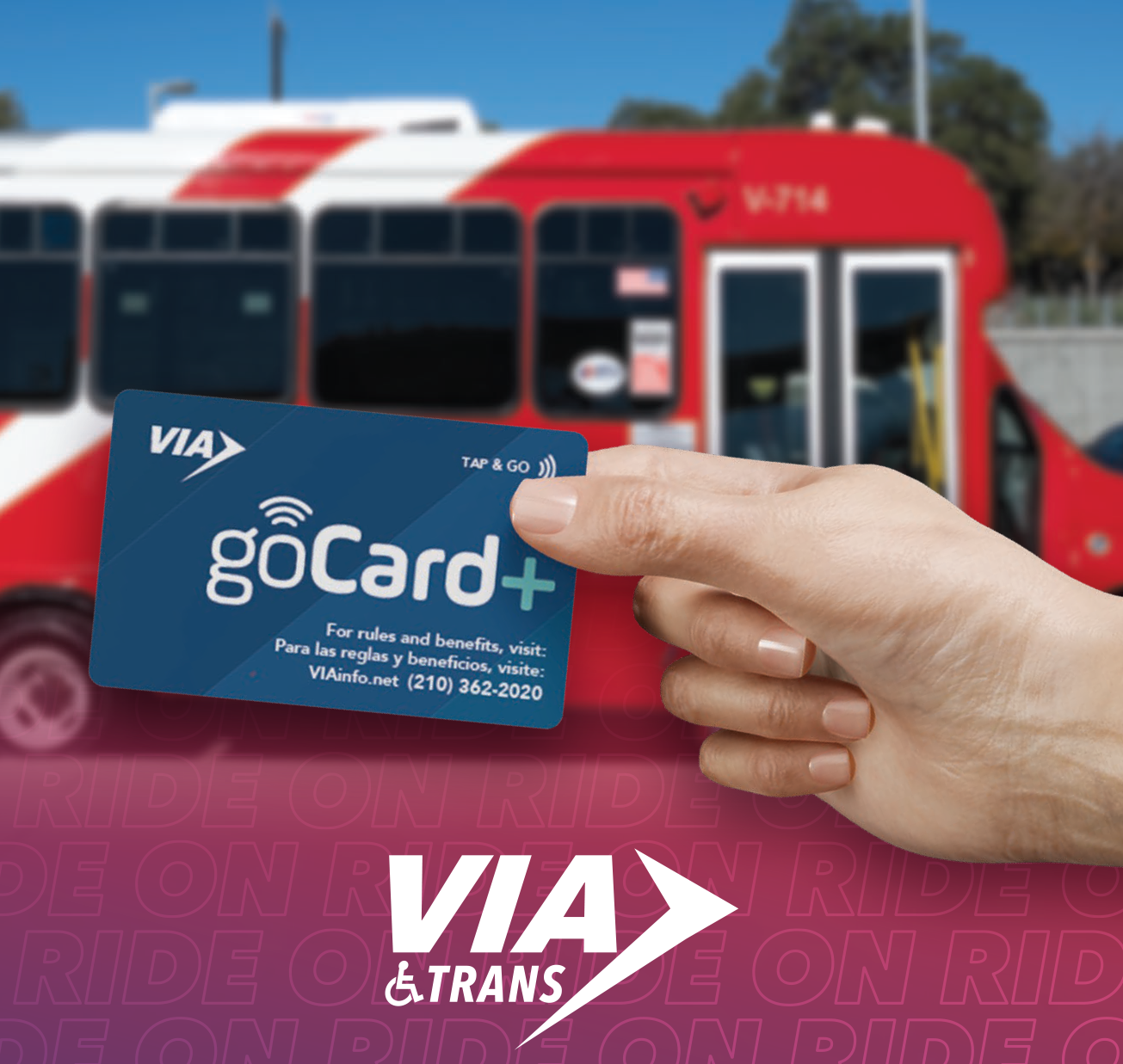
A New and Improved goCard+ is here!
Update your contact information and learn about our new goCard+
Where to Buy VIAtrans Tickets
Customer Service Centers
| Location | Address | Phone | Hours |
|---|---|---|---|
|
Brooks Express, Transit Center |
7903 S. New Braunfels Avenue, San Antonio, TX 78235 | (210) 362-2884 |
Monday – Friday |
|
Centro Plaza Transit Center |
909 W. Houston St., San Antonio, TX 78207 | (210) 299-5802 |
Monday – Friday |
|
Crossroads Express, Park & Ride, Park & Ride Events |
151 Crossroads Blvd., San Antonio, TX 78201 | (210) 362-2892 |
Monday – Friday |
|
Downtown Information Center |
211 W. Commerce, San Antonio, TX 78205 | (210) 362-2889 |
Monday – Friday |
|
Ellis Alley Park & Ride |
212 Chestnut St., San Antonio, TX 78202 | (210) 299-1213 |
Monday – Friday |
|
Ingram Transit Center |
3215 Northwestern Drive, San Antonio, TX 78238 | (210) 362-2893 |
Monday – Friday |
|
Kel-Lac Express, Transit Center |
7183 Cleto Rodriguez Fwy, San Antonio, TX 78227 | (210) 362-2891 |
Monday – Friday |
|
Madla Transit Center |
1584 Cantrell, San Antonio, TX 78221 | (210) 362-2894 |
Monday – Friday |
|
Medical Center Transit Center |
5330 Medical Drive, San Antonio, TX 78240 | (210) 362-2896 |
Monday – Friday |
|
North Star Transit Center |
7538 San Pedro Ave., San Antonio, TX 78216 | (210) 362-2898 |
Monday – Friday |
|
Randolph Express, Transit Center |
9400 I-35, San Antonio, TX 78233 | (210) 362-2890 |
Monday – Friday |
|
Stone Oak Express, Park & Ride, Park & Ride Events |
22139 US-281, San Antonio, TX 78258 | (210) 362-2887 |
Monday – Friday |
|
VIA Metro Center (VMC) Information Center |
1021 San Pedro Ave, San Antonio, TX 78212 | (210) 362-2020 |
Monday – Friday |
H-E-B Locations
#01 1955 Nacogdoches
#03 108 N. Rosillo
#04 1601 Nogalitos
#12 18140 San Pedro
#13 4100 S. New Braunfels Ave.
#17 12777 IH-10 W.
#18 1520 Austin Hwy.
#19 6580 FM 78
#24 6000 West Ave.
#35 15000 San Pedro
#38 11551 West Ave.
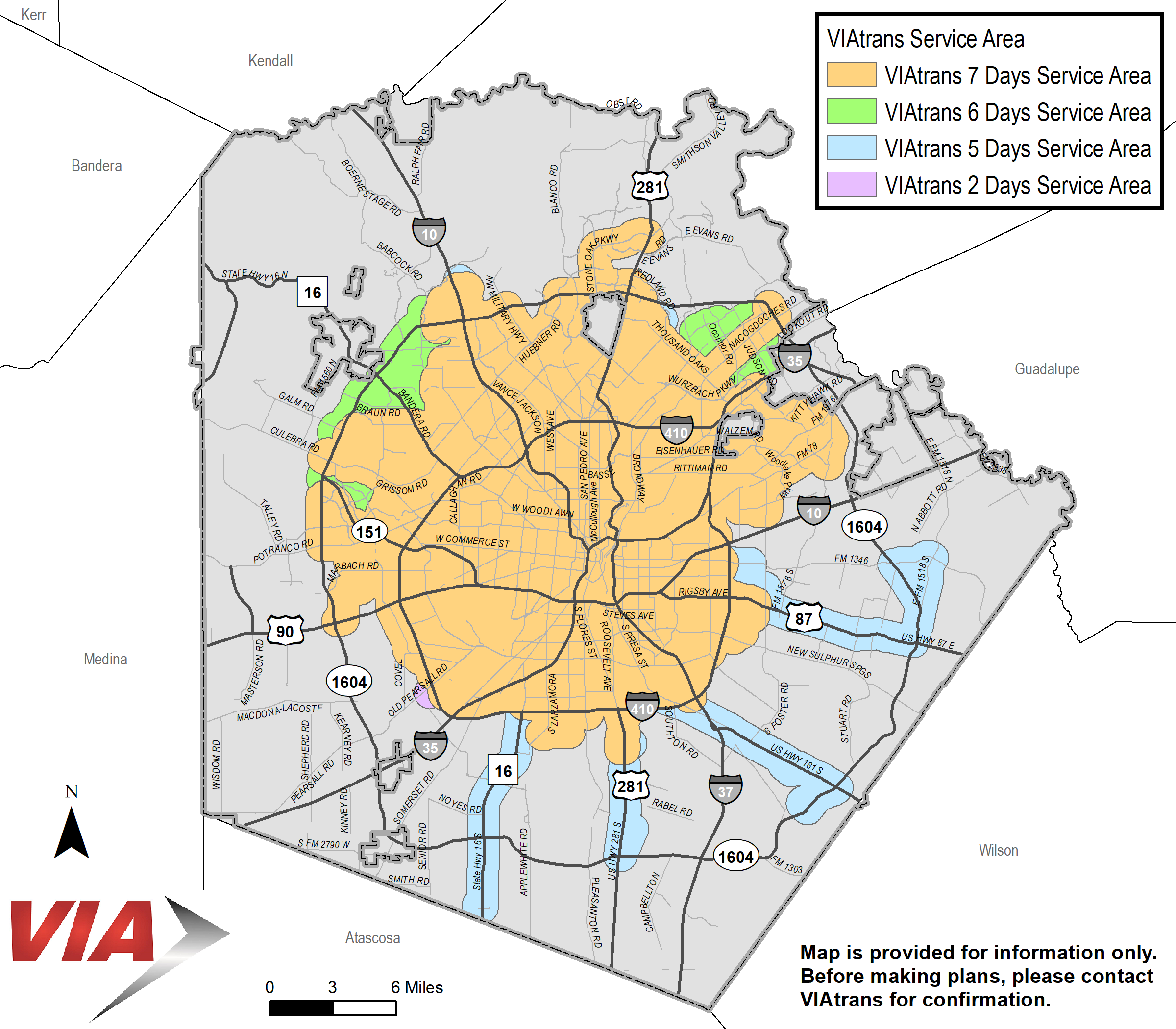
Where We Operate
Disclaimer
The Service Area Locator is provided for information only. It does not represent measurements made on the ground and approximates distances. Before making plans based on search results, please contact VIAtrans for confirmation. Existing customers should call 210-362-5050. All others, please call 210-362-2140 or 210-362-2019 (TDD).
Due to current security protocols, VIAtrans vehicles may not be permitted to enter military installations. In these cases, riders may be dropped off at: The installation gate, or The Visitor Control Center (VCC).
VIA may transport you to the base access point; however, we cannot guarantee entry onto the installation. Riders should plan ahead to coordinate transportation from the visitor center to their final destination to align with their VIAtrans arrival time.
Frequently Asked Questions
FAQs
General
What should I know before creating an account?
Use the eligible VIAtrans patron’s information, even if a caregiver or family member is assisting.
Review the name and email address carefully before completing registration. Do not create multiple accounts to correct a login problem.
What if I already use VIA Link?
An existing VIA Link account may need to be merged with the VIAtrans profile. Call 210-362-2020 before creating another account.
What should I do if I do not receive a password-reset email?
- Confirm that the email address is correct.
- Check the spam or junk folder.
- Do not create another account.
- Call 210-362-2020 if the email still does not arrive.
What should I do if the verification code does not work?
- Enter the code exactly as shown and keep it available until setup is complete.
- If the code is accepted but the app does not continue, close the app completely, reopen it and try logging in again.
- Call 210-362-2020 if the problem continues.
How do I know my ride was successfully booked?
The app or website will display “Journey booked!” The trip should also appear under My Journeys > Upcoming.
If the trip does not appear, do not create a duplicate reservation. Call 210-362-5050 to confirm the ride.
How far in advance can I make a reservation?
VIAtrans reservations may be made one to four days before the trip.
What is a pickup window?
The pickup time is shown as a window rather than one exact time. The VIAtrans vehicle may arrive at any point during the window. Be ready at the beginning of the pickup window.
What is a Will Call trip?
A Will Call is a return reservation for a medical appointment or jury duty situation in which the customer does not know exactly when they will be ready.
When completely ready to leave, call 210-362-5050 to activate the Will Call. Will Call pickups can also be activated through the VIAtrans booking app and website.
The vehicle is not dispatched until the Will Call is activated.
Can I pay in the VIAtrans app?
Each VIAtrans trip costs $2 each way. Customers may use cash or a ticket at pickup.
Customers cannot load goCard+ stored value through the VIAtrans app. To add funds to goCard+, visit a VIA Customer Service location.
What if I cannot access the app?
An app or account problem does not prevent a customer from making a reservation. Call 210-362-5050 to make or manage a trip and 210-362-2020 for account-access assistance.
Booking Changes
Is VIAtrans changing how I book trips?
An improved online booking experience is now here, replacing the old VOS system.
What are the benefits of the new booking system?
The new booking system provides:
- Easier trip booking
- Improved trip management
- Better “Where’s My Ride?” visibility
- More rider updates
Will I still be able to call to book rides?
Yes. Customers may continue to call Reservations at (210) 362-5050 to book trips.
What is happening to VOS?
The VOS online booking platform has been retired and replaced by the new VIAtrans booking website and mobile app.
Need Assistance?
Who should I contact if I have questions?
Customer Service:
- Phone: 210-362-2020
Reservations:
- Phone: 210-362-5050
Please contact VIA if:
- You have not received your new goCard+
- Your address or email has changed